Every store’s cameras in one browser tab.
Live wall, playback and evidence export across the whole estate, on the recorders you already own, with no camera or recorder ever exposed to the internet.
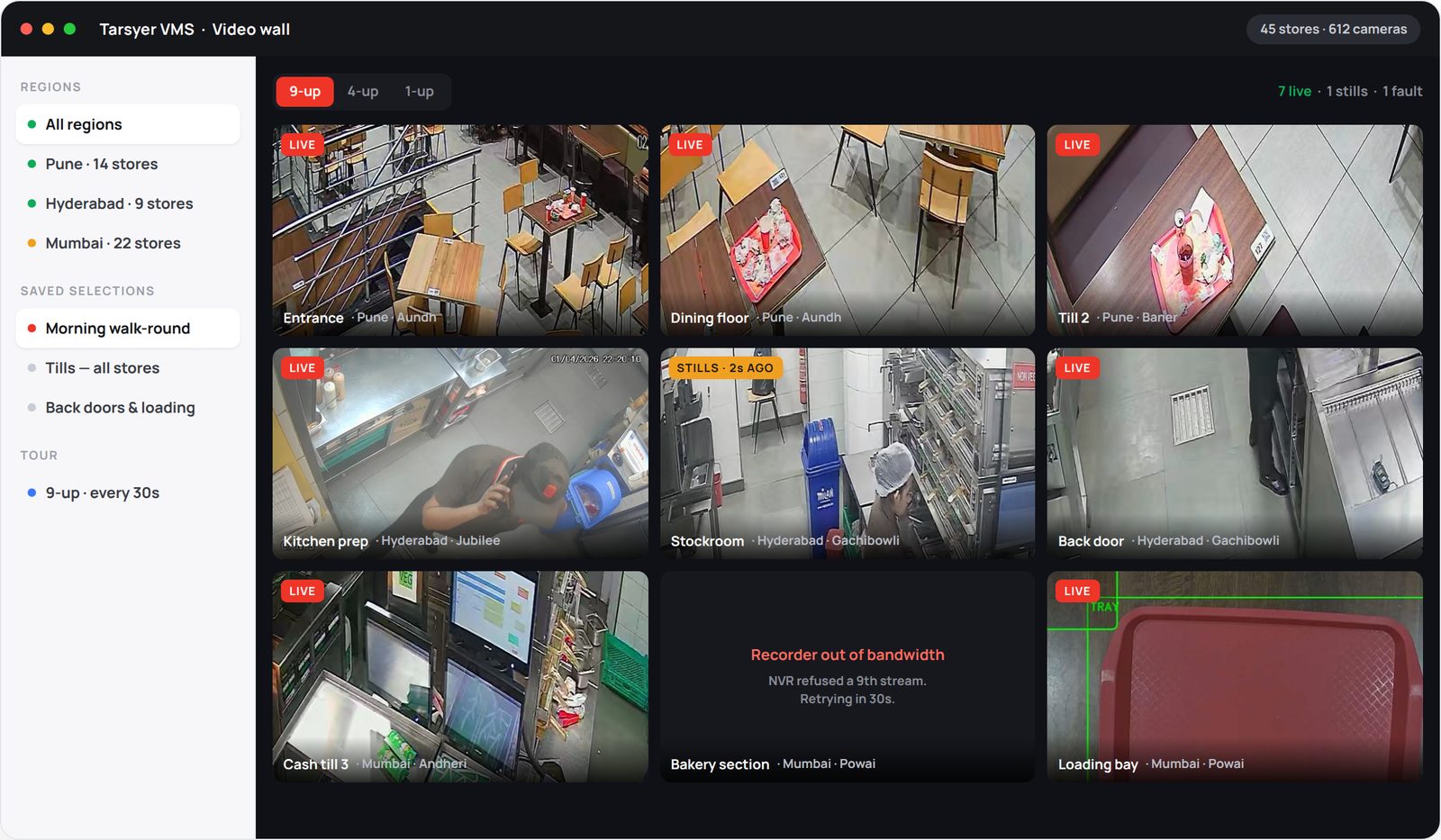
Four questions most estates answer badly.
“How do you find out a store camera has stopped working?”
“When we go looking for the footage.” Which is the one moment it can no longer be fixed.
“How long to get an incident clip into an email?”
“Days.” A site visit, a vendor tool, a proprietary player, a licence.
“Who can see the stores they aren’t responsible for?”
“Everyone with the recorder password.” Franchise and multi-brand operators cannot buy that.
“How does head office reach a store at all?”
“A port-forwarded recorder, or the vendor’s cloud.” Either way, something at the store faces the internet.
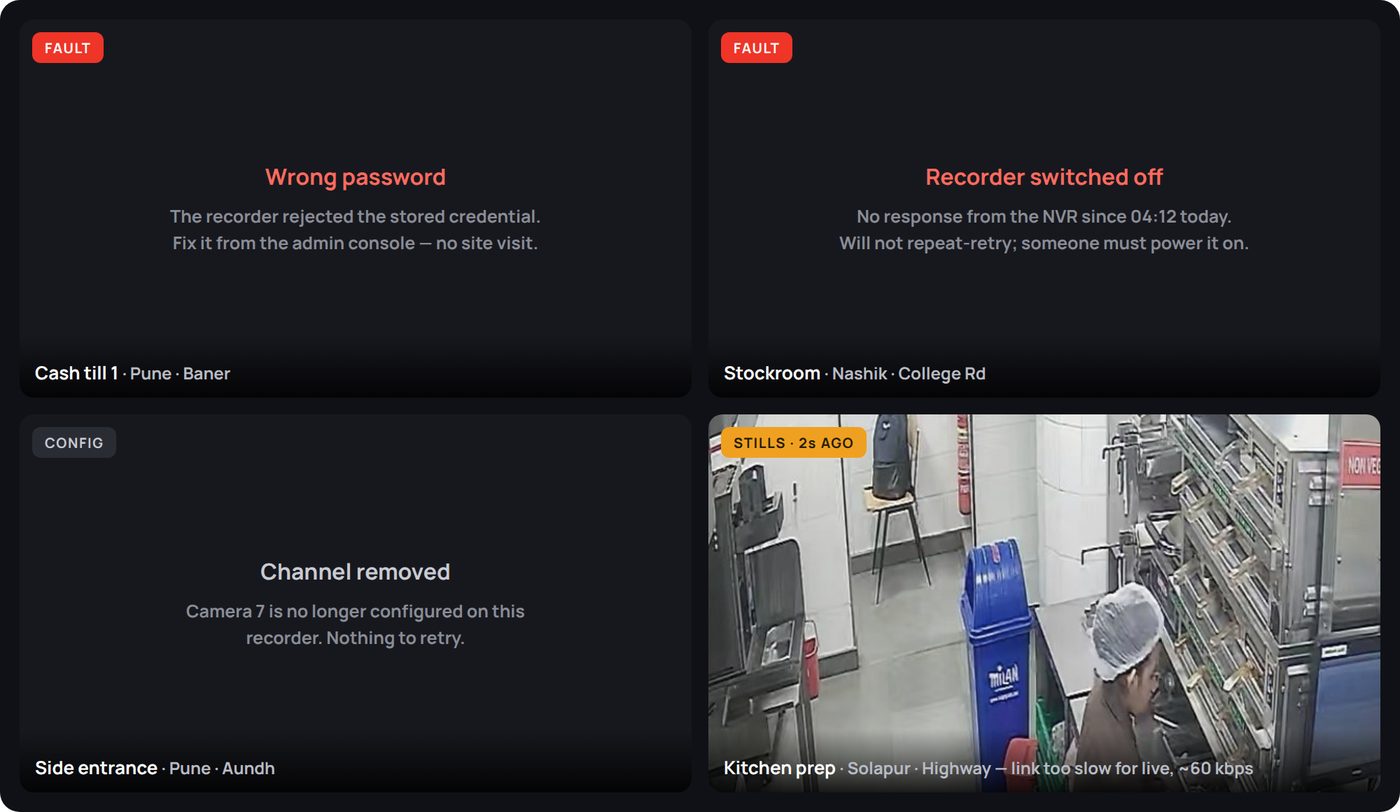
The tile tells you why, not just that it went dark.
Everywhere else, every failure a camera can have looks identical from head office: a black rectangle. Here the tile names the cause and says whether it is worth retrying.
- Wrong password on the recorder
- Recorder switched off or unreachable
- Channel removed, recorder out of bandwidth
- Recorder’s own clock is wrong
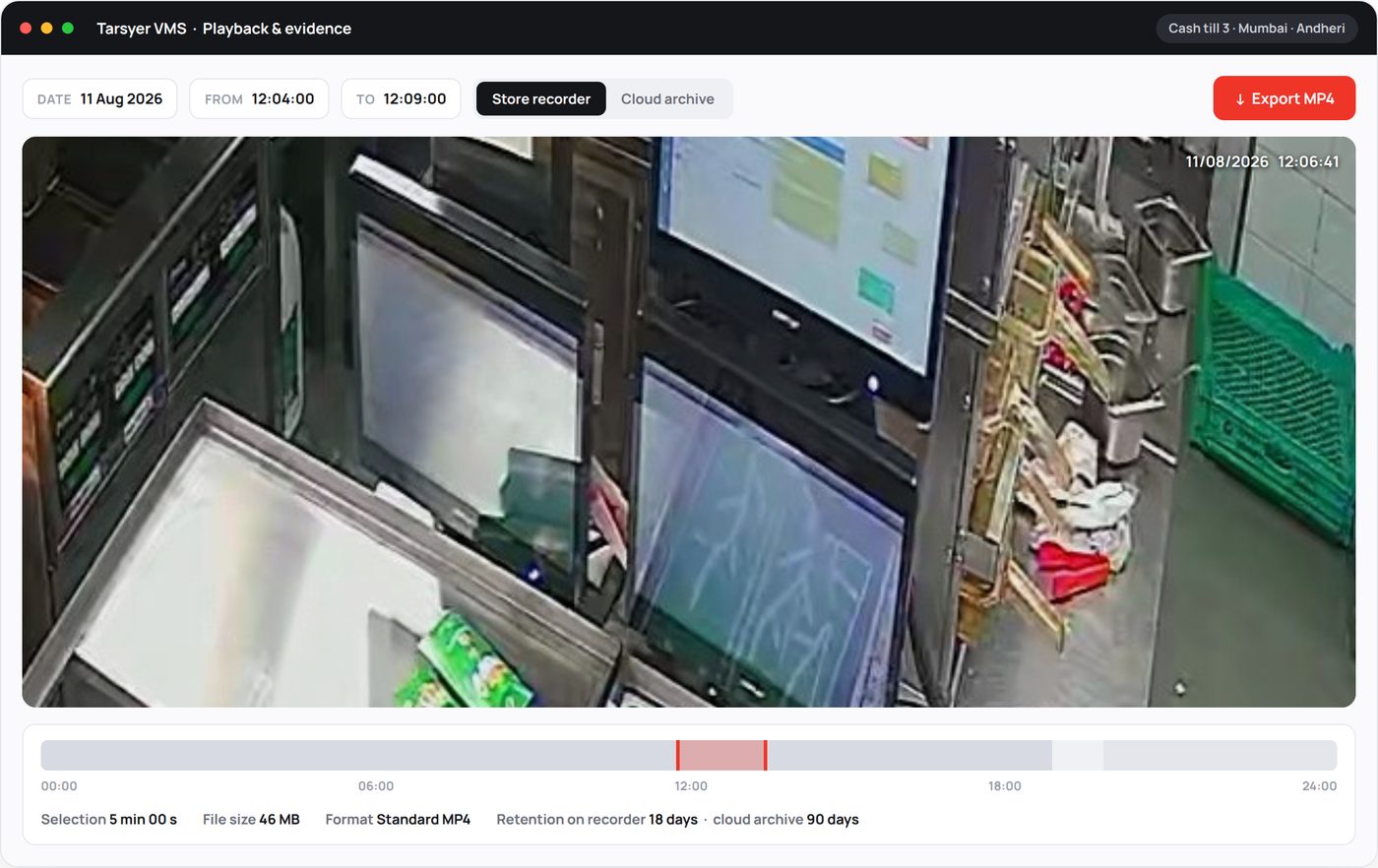
An incident clip in an email in minutes, not days.
- Two archives, one interfaceStore recorder for recent events, cloud archive for anything past its retention. Same controls.
- Standard MP4, opens anywhereFor insurers, police or an HR file. No proprietary player, no export licence, no site visit.
- Footage outlives the recorderStolen, wiped or already overwritten, the cloud copy survives the box in the store.
The part nobody asks about in the first meeting, and everybody asks about in the third.
Devices update themselves
Installs unattended and staggered, so a fleet never restarts in unison. A bad update health-checks, restores the previous version and refuses to retry that release.
Scoped to a region
A Pune area manager signs in and sees Pune, enforced on every request. Recorder credentials stay encrypted and never reach the browser.
Camera settings from head office
Resolution, frame rate, codec and bitrate written per camera. A store on a poor link gets a lighter profile in a minute, from a desk.
Small box. Small bandwidth. Nothing exposed.
Defaults on standard edge hardware using camera sub-streams, tunable per site.
| Measure | Value | Note |
|---|---|---|
| Cameras per edge device | 16 default | Raise on larger hardware |
| Cameras per site | Unlimited | Multiple recorders map into one site |
| CPU per live camera | 5 to 10% | Relay only, never re-encoded |
| Bandwidth per camera viewed | ~1 Mbps | Sub-stream on the wall, main stream on click |
| Poor-link fallback | ~60 kbps | Stills every 2 seconds, always stamped with their age |
| Recording modes | Continuous, motion, event | Per channel |
| Cloud archive | Optional | 15-minute segments with 60 s overlap |
| Site firewall | 1 UDP port, outbound | Nothing forwarded to a camera or recorder |
| Viewer requirements | Browser | No client, no plugin, no VPN on the viewer |
| Export format | Standard MP4 | Opens anywhere, no export licence |
Where we trail, honestly: a native client decoding straight off the recorder is sub-second on live view. We sit a few seconds behind. Imperceptible for checking on a store, and closeable if an operator ever needs real-time tracking.
Start with one region.
One edge box per store, beside the recorder that is already there. Head office logs in from a browser the following week.
Or write to sales@tarsyer.com